.png)
TurboTax allows cryptocurrency users to report their cryptocurrency taxes directly within the TurboTax app. To enable this functionality, the TurboTax team has partnered with CryptoTrader.Tax.
In this guide, we walk through the step-by-step process for crypto and bitcoin tax reporting within TurboTax—both online and desktop versions.
Head to TurboTax Online and select your package. Both of these packages support the tax reporting of cryptocurrencies.

Upon first sign-in, TurboTax Online will ask you to complete some initial prompts and fill out your basic information. You are not able to jump forward within the app until this basic info is complete.
On the prompt titled, “Let’s get an idea of your financial picture”, select “I Sold or Traded Cryptocurrency” (pictured below).
This is one of the initial prompts you will receive when first starting the process in the app.

To move forward into the cryptocurrency section within the app, navigate to Federal > Income & Expenses > Cryptocurrency (pictured below).
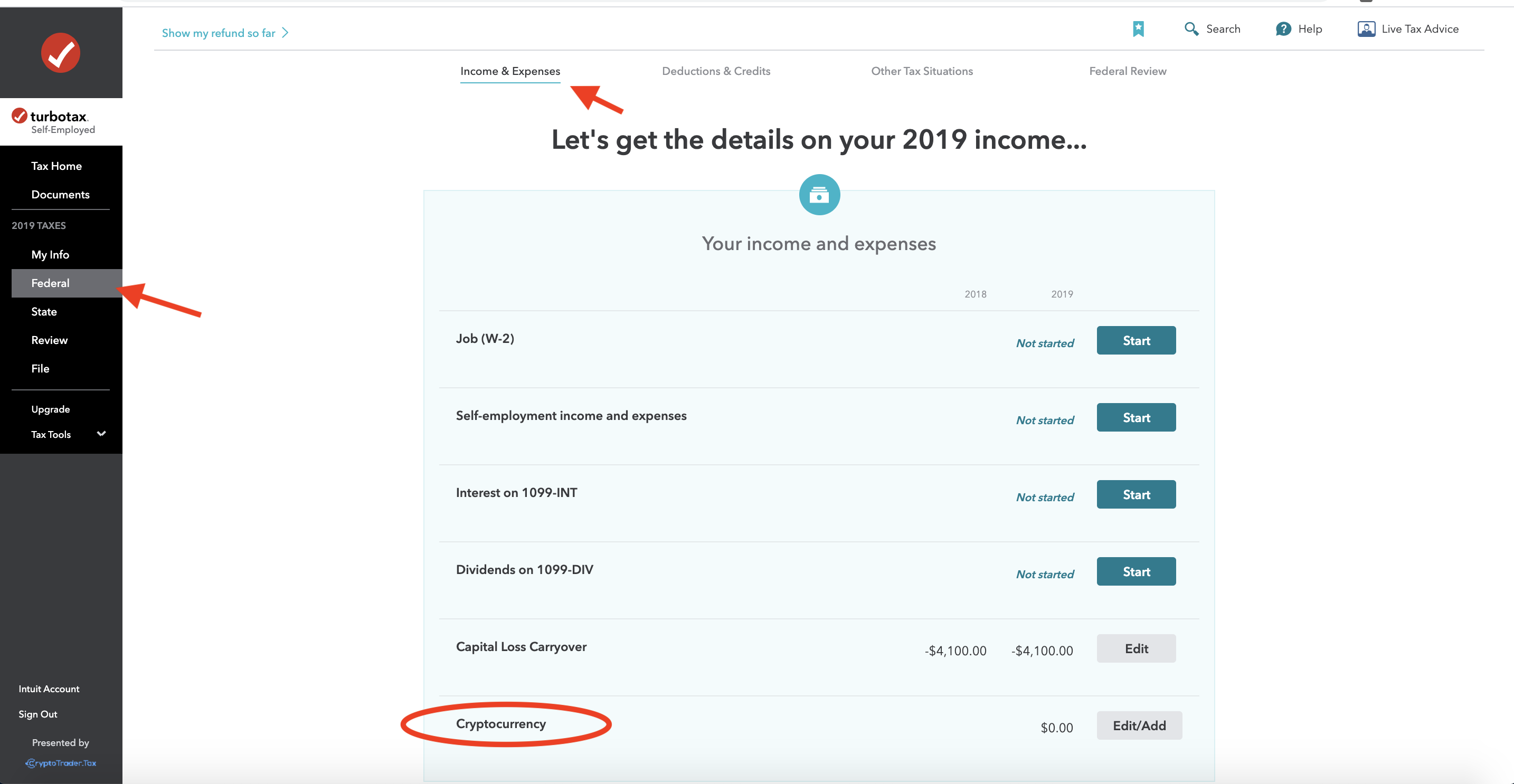
If you didn’t select “I Sold or Traded Cryptocurrency” in the initial prompts as discussed in Step 3, you can add it in this Income & Expenses section by clicking “Add more income” on this screen.
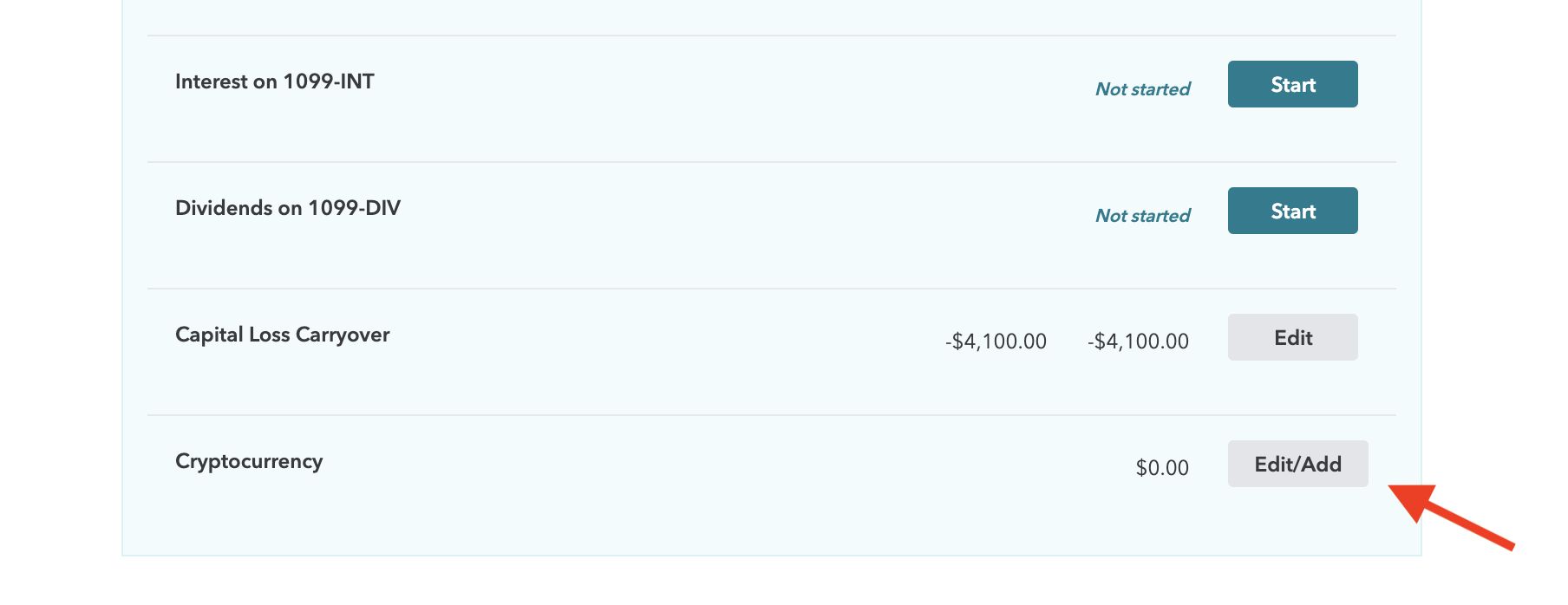
Here at the bottom of the Income & Expenses section, select “Start” or “Edit/Add” cryptocurrency data.
Select “Yes” to this question on this screen.

Select CryptoTrader.Tax from the “Let’s get your cryptocurrency info” screen. CryptoTrader.Tax is an official partner of TurboTax.

If you haven’t already built out your gains, losses, and income tax reports within CryptoTrader.Tax, now is the time to do so. Simply create an account, connect your exchanges and wallets, and generate your necessary crypto tax reports with the click of a button.
Learn more about how CryptoTrader.Tax works here.
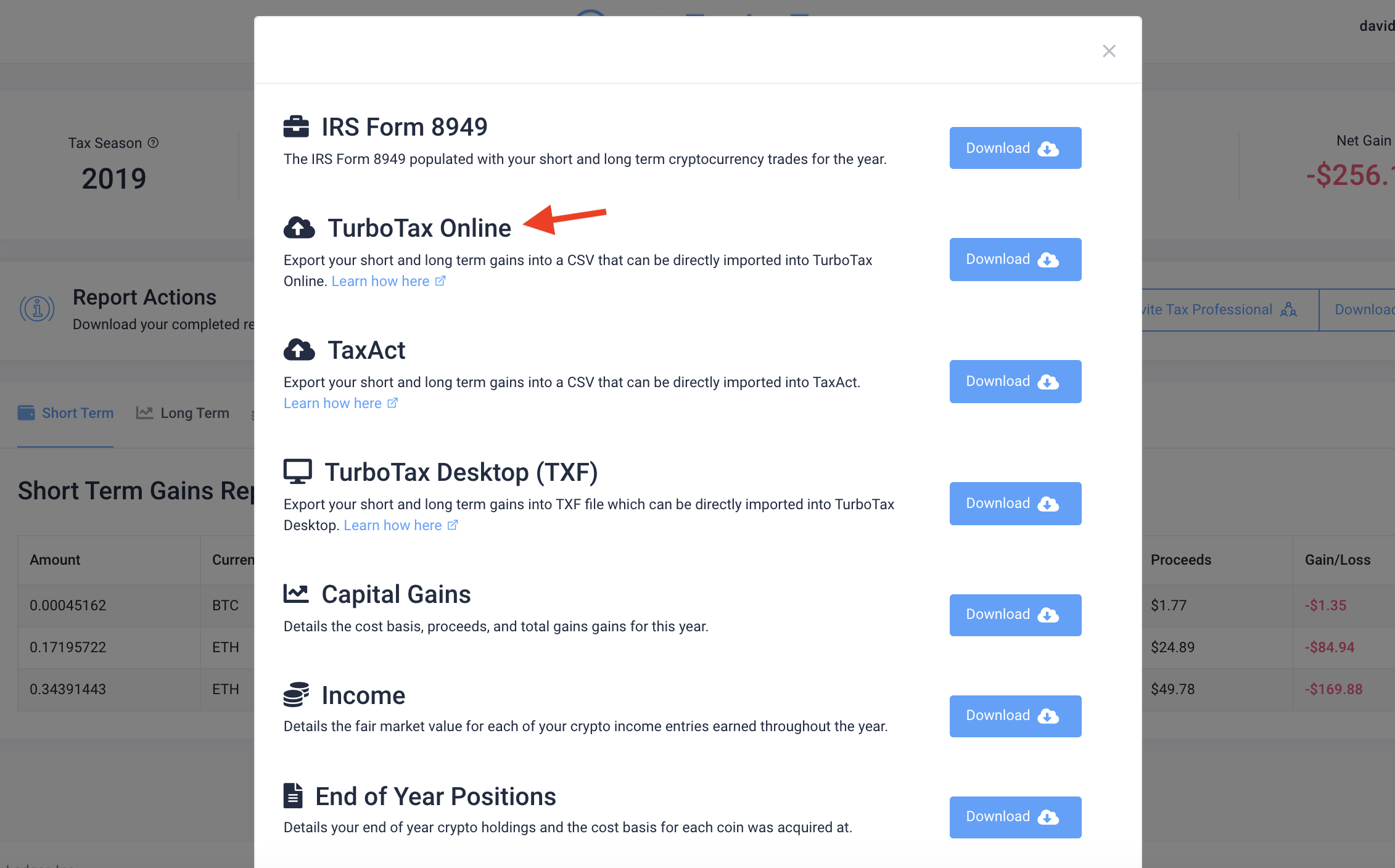
From your tax report dashboard in CryptoTrader.Tax, download your “TurboTax Online” file. This file consists of your cryptocurrency gains and losses from your trading activity.
Import the “TurboTax Online” file directly into TurboTax.
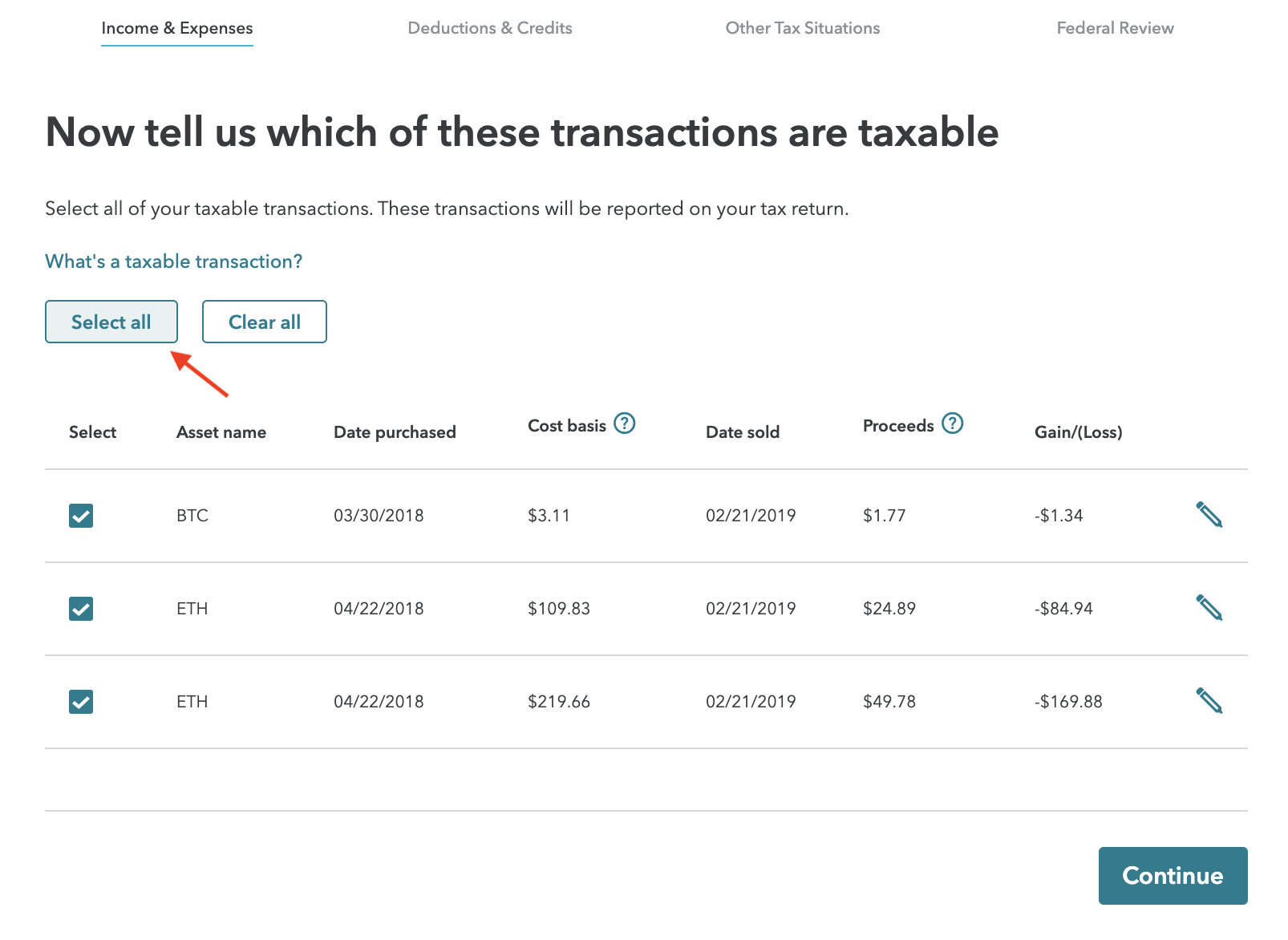
You should see all of your cryptocurrency gains and losses imported. Only taxable transactions get imported from your CryptoTrader.Tax TurboTax Online file, so simply “Select All” on this step (pictured below).
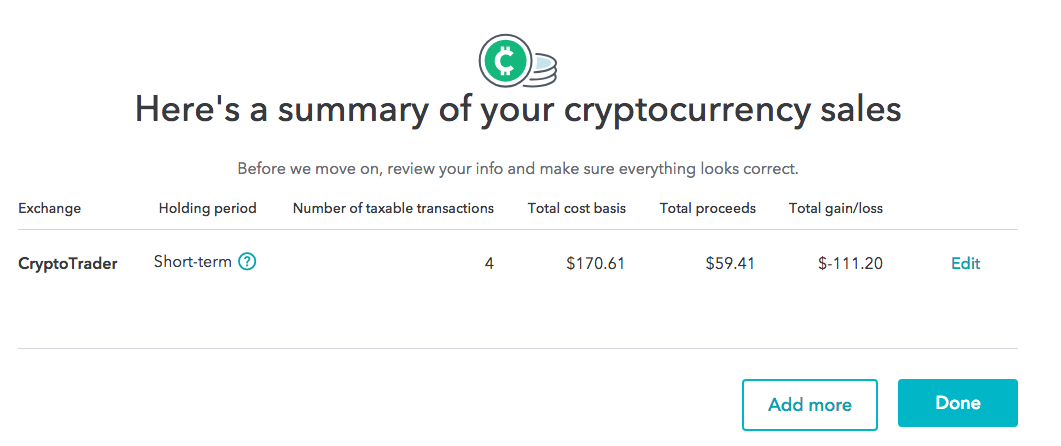
Once you finish, click 'complete' and you will see a summary of your cryptocurrency transactions within TurboTax.
The above steps outlined the process for reporting your cryptocurrency taxes within the online version of TurboTax. The desktop version of TurboTax doesn’t officially support crypto. For this reason, it's recommend you use the online version for your crypto tax reporting.
However, there still is a way to get your cryptocurrency tax information into the Desktop version of TurboTax. We outline that step-by-step process in this article here.
Currently, TurboTax Online can only import up to 2,251 crypto transactions via its cryptocurrency import.
If you have more than 2,251 transactions, CryptoTrader.Tax will automatically consolidate your TurboTax Online file by asset type so that you can still import your transactions and still file your taxes with TurboTax.
When e-filing a consolidated 8949, you need to take one additional step and mail in your complete 8949 to the IRS. For detailed instructions on mailing, checkout this step-by-step guide.
To learn everything you need to know about how cryptocurrencies like bitcoin are taxed, you can checkout our complete guide: The 2020 Guide to Cryptocurrency Taxes.
Have any other questions? Our live chat customer support team would be happy to help! Chat directly with us from our website homepage.